How to find TikTok video ideas with Claude
Connect Manifold MCP so your agent can search TikTok for your topic, tag hooks and formats that beat each creator's usual views, and hand you an idea list to film.


How do I find TikTok video ideas that work?
Your agent starts from the topic, not from a list of rival accounts. It searches TikTok in the words your viewers already use, keeps videos that beat each creator's usual views, and turns those hooks, formats and comment questions into a list you film and post from your own account. Your agent runs it on Manifold MCP.
How to find TikTok video ideas in eight steps
- Connect Manifold MCP to Claude (claude.ai, Claude Desktop or Claude Code), or to ChatGPT.
- Build a niche sample from TikTok search in your audience's words.
- Clean the sample and find lift against each author's median views.
- Code each kept video: spoken hook, caption hook, format, length and sound.
- Compare groups on median views and lift, then write three to five rules that hold in this niche.
- Read the comments on the best videos for questions and requests.
- Turn the findings into an idea list and check your own recent videos against the niche medians.
- Put a Keyword tracking monitor on the topic so the sample stays current.
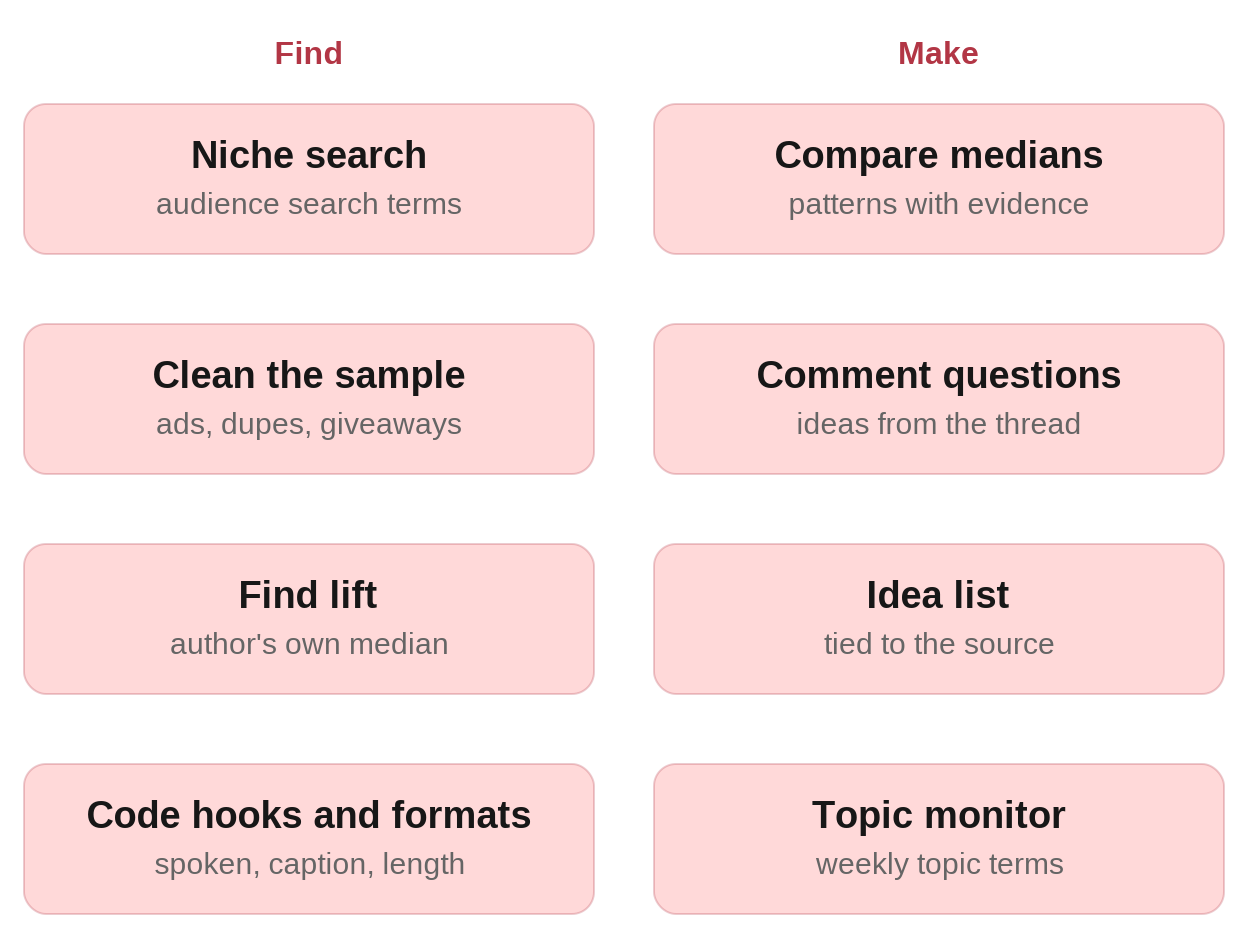
This page covers video ideas for your own TikTok account from a topic: a niche sample, author lift, hook and format coding, medians per pattern, comment questions, an evidence-linked list, and a topic monitor. If you already know your rivals and want a 2 week plan, see TikTok competitor analysis. For a one-off look at what did best this month, see research TikTok and Instagram. For other servers, see the best TikTok MCP servers. The same job on LinkedIn is how to find LinkedIn post ideas. On Reddit and YouTube, see how to find content ideas on Reddit and YouTube.
What AI engines suggest, and the shorter path
Ask an AI engine how to find TikTok video ideas that work in your niche with Claude or ChatGPT (checked November 2026) and the answers describe the same loop: pull real videos from the niche rather than invent a list, rank by videos that beat their creator's usual views rather than raw view counts, tag hooks, formats, length, captions, hashtags and sounds, turn those patterns into your own ideas (borrow the structure, not the words), mine comments for unanswered questions, and check the result against your own analytics.
The tools they suggest are a stack you assemble: TikTok trend dashboards and analytics products, browser extensions that sort a profile or export comments, extraction or transcript services wired up through automation, and TikTok MCP servers that often run locally or need a key or account of their own. Several warn that TikTok blocks ordinary scrapers, and to check terms and data limits.
Inside the chat, Manifold MCP can search TikTok and read accounts, transcripts and comments. It is hosted, with no TikTok login, developer app or local server of yours, and you pay per call.
Step 1: connect Manifold MCP
Every account gets 250 credits a month on the free plan. Call prices are on the credits page.
Claude. The Claude setup page has you open Customize, pick Connectors, add a custom connector, and sign in to Manifold.
Claude Code. The Claude Code setup page is one install command, then /mcp to sign in.
ChatGPT. On the ChatGPT setup page: Manifold MCP is listed as an official app. Open it from Apps or the plugin link on that page, then Connect and sign in. No URL or developer mode is needed. If you are on Business, Enterprise or Edu, an admin chooses which apps the workspace can use.
Send this to see which tools the agent has:
Which Manifold tools search TikTok videos, list one account's videos, return a spoken transcript, return comments on one video, and create a monitor? Confirm that TikTok search is ranked and not a full listing, and that a search row does not include the transcript or the comments.
A working connection answers with tiktok_search_videos, tiktok_get_videos, tiktok_get_transcript, tiktok_get_comments and monitoring_create_monitor.
Step 2: build a niche sample
Give your agent three or four searches in the words your audience uses: the category, a problem the product solves, and a use case, for example "[standing desk setup]", "[back pain at my desk]" and "[desk for small apartment]".
Your agent calls tiktok_search_videos for each phrase, sort popular, since month for hooks (week for trends), and a couple of pages each. Search is one page at a time, in TikTok's own ranking, so the next page is a cursor. Popular ranks by likes, which favours older videos, so after the pages come back your agent ranks the rows by views per day since created_at. Keep each row's author, followers, created_at, caption first line, views, likes, comments, shares, saves, duration_s, media, music, hashtags and URL.
A term with too few videos in a week is too thin for a weekly read: widen that term to a month and have your agent say the window changed.
What each call takes is on the TikTok tools page. Search rows do not include a transcript or comments, so leave those for later steps.
Step 3: clean and find lift
Your agent drops is_ad rows (ads, boosted posts and paid partnerships), duplicates across terms, captions in other languages, and giveaways. Comment-to-DM bait such as "comment X and I'll send it" inflates comments with one-word replies, so those rows go too.
Then it finds lift. For the fastest authors it calls tiktok_get_videos (one page, sort latest) and takes each author's median views. It keeps videos at three times that author's median or more. Lift beats raw views because a big account's ordinary video is not evidence of a hook. A median from fewer than 10 videos is weak, and your agent says so.
For hooks, also drop videos whose engagement rate (likes plus comments over views) is under half their author's median, so a video that won views but drew little interaction does not set the hook rules. That rate is reactions per view, not watch time or retention.
Step 4: code each kept video
Your agent calls tiktok_get_transcript on each kept video. The first spoken sentence is the spoken hook. Transcripts come back whole, with no timestamps. NoData means the hook is on screen or in the sound, which the tools cannot read: keep the caption line and mark it. Optional ai_fallback transcribes the audio when TikTok holds no transcript. It costs extra and covers videos up to two minutes; use it only on a video the table cannot do without.
Then your agent codes:
- Caption hook: the first line of
text. - Hook pattern: a question to the viewer, a bold or contrarian claim, a number or list, a callout of who it is for, a story opening, the result first, a mistake or warning, a POV or skit setup, a reply to a comment (captions starting "Replying to").
- Format, named from what the tools show: talking head, voiceover over footage, list, tutorial, before and after, reply to a comment, skit or POV, photo carousel (
mediaimage, noduration_s), text on screen over music (transcriptNoData). - Length band: under 15 seconds, 15 to 60, over 60.
- Photo or video, from
media. - Sound, from
music: "original sound - [handle]" with the video's own author is original audio, another handle is a borrowed sound, a title and artist is a track. - Topic, from recurring words and hashtags.
Text on screen, the first frame and the cut are often the hook on TikTok, and they are not in the data. Open the top URLs to check by eye. If most kept videos have no speech, your agent says the niche's hooks are visual and the table shows half of them.
Step 5: compare groups and write the rules
Your agent compares each feature's groups on median views and median lift. Report patterns with three or more videos first. Name any trend (three or more videos from three or more authors in the window, each beating its author's median) and date it with the pull date.
The table is: feature, group, videos, median views, median lift, example URL and a real first line or caption. Follow the table with three to five rules that hold in this niche, and name the rows that support each one. Quoted hooks are evidence, not scripts: adapt the pattern, not the words.
Read the table as correlations in a sample of videos that already did well. A rule that holds here may not hold in another niche. The rows below are a mock table so you can see the shape, not results from a real run:
| Feature | Group | Videos | Median views | Median lift | Example |
|---|---|---|---|---|---|
| Hook pattern (example) | Question to the viewer | [n] | [n] | [n] | [url], "Did you know [topic] does this?" |
| Format (example) | Talking head | [n] | [n] | [n] | [url] |
| Length (example) | 15 to 60 seconds | [n] | [n] | [n] | [url] |
Step 6: read the comments for questions
On the best videos, your agent calls tiktok_get_comments, a page each. Look for questions, requests and "how do you..." asks. Each repeated question is a video idea. Drop comment-to-DM bait and one-word replies. Leave commenter handles out of public copy.
Comments come one video at a time. For tagging comments across many videos, see how to analyze TikTok and Instagram comments.
Step 7: turn it into an idea list and check your own videos
Each idea on the list has the topic, a hook pattern that won (adapted, not copied), a format, a length band, a sound note (original audio or the type the winners used), and the video or comment row it came from. Your agent writes scripts only when you ask, and you film and post.
Then your agent checks your own recent videos against the niche medians. Paste your handle. tiktok_get_videos lists them, newest first with sort latest. Your own TikTok analytics hold watch time, retention and traffic sources, which the tools cannot see.
Step 8: keep the topic on a monitor
Have your agent preview monitoring_create_monitor, list the terms and platform it will watch, then create the monitor after you confirm. Creating a monitor and its scheduled checks spend no credits. A check run on request outside the schedule (Run now) spends credits. Call shapes live on the monitoring tools page.
Dashboard. On the social media monitoring page, add a Keyword tracking monitor limited to TikTok, using your topic terms, on a weekly cadence.
Each check runs tiktok_search_videos once per term, for the past week, sorted latest, and reports new videos whose caption or hashtags contain the term (case ignored; a hashtag matches with its spaces run together), with the author, the start of the caption, likes, comments and views. It does not match spoken words. Checks run hourly by default; weekly is plenty for video ideas. The first check only stores a starting point, so nothing shows up as new until the next one. Types and cadences are in how monitors work.
Once a week, ask which of the new videos should become an idea or should shift a rule. Your agent pulls those new rows through monitoring_get_changes. Claude and ChatGPT will not fire that weekly read on their own; you have to ask.
The full setup for a scheduled watch on a tag is in how to track TikTok hashtags.
On Free you keep 1 monitor, and that monitor can watch up to 3 keywords. How many monitors a workspace can keep, by plan: 1 on Free, 5 on Pro, 25 on Growth, 100 on Agency.
Run this in your agent
Connect Manifold to Claude, ChatGPT or Cursor, then paste this prompt.
Find TikTok video ideas for [Acme] on topic [topic]. Audience words, three or four phrases: [term 1], [term 2], [term 3] (the category, a problem the product solves, a use case). We post as [a brand / a creator]. Our handle: [@handle]. Call tiktok_search_videos for each phrase, sort popular, since month (since week if we are looking at trends), a couple of pages each, one page at a time via cursor. Keep author, author_name, author_followers, created_at, first line of text, likes, comments, shares, saves, views, duration_s, media, music, hashtags, url. Search is ranked by TikTok and is not complete. Search rows do not include a transcript or comments. Drop is_ad rows, duplicates across terms, captions in other languages, and giveaways (comment-to-DM bait such as comment X and I will send it, and one-word reply bait). Rank remaining rows by views per day since created_at. For the fastest authors, call tiktok_get_videos, one page, sort latest, and take each author's median views. A median from fewer than 10 videos is weak: say so. Keep videos at 3 times their author's median views or more. A large account's ordinary video is not evidence of a hook. For hooks, also drop videos whose engagement rate (likes plus comments over views) is under half their author's median. That rate is reactions per view, not watch time or retention. Call tiktok_get_transcript on each kept video. The first spoken sentence is the spoken hook. Transcripts have no timestamps. NoData means the hook is on screen or in the sound: keep the caption line and mark it. Use ai_fallback only on a video under 2 minutes that the table cannot do without; it costs extra. Code each kept video: spoken hook, caption hook, hook pattern (question to the viewer, bold or contrarian claim, number or list, callout of who it is for, story opening, result first, mistake or warning, POV or skit setup, reply to a comment), format (talking head, voiceover over footage, list, tutorial, before and after, reply to a comment, skit or POV, photo carousel if media is image and duration_s is empty, text on screen over music if transcript is NoData), length band (under 15 seconds, 15 to 60, over 60), photo or video, sound type from music (original sound with this author is original audio, another handle is a borrowed sound, a title and artist is a track), topic. Text on screen, the first frame and the cut are not in the data; I will open the top URLs to check by eye. If most kept videos have no speech, say the niche's hooks are visual and the table shows half of them. Compare groups on median views and median lift per hook pattern, format, length band and sound type. Patterns with three or more videos first. Name any trend (three or more videos from three or more authors in the window, each beating its author's median) with the pull date. Give me the table: feature, group, videos, median views, median lift, example URL and a real first line or caption. Then three to five rules that hold in this niche, each naming the rows that support it. Read the table as correlations in a sample of videos that already did well. A rule that holds here may not hold in another niche. Do not invent numbers or findings. Quoted hooks are evidence, not scripts. Adapt the pattern, not the words. On the best videos, call tiktok_get_comments, a page each. List repeated questions, requests and how-do-you asks as ideas. Drop comment-to-DM bait and one-word replies. Leave commenter handles out of public copy. Then the idea list: each idea with the topic, a hook pattern that won (adapted, not copied), a format, a length band, a sound note (original audio or the type the winners used), and the video or comment row it came from. Write scripts only when I ask; I will film and post. Call tiktok_get_videos on my handle, sort latest, and compare my recent videos with the niche medians. Our own TikTok analytics hold watch time, retention and traffic sources, which the tools cannot see. Then preview a Keyword tracking monitor, TikTok only, weekly, for these phrases: [term 1], [term 2], [term 3]. Description: New videos on [topic] so we can refresh the idea list. Show the preview first, then create the monitor after I confirm. Creating a monitor and its scheduled checks cost 0 credits. Running a check outside the schedule spends credits. Each week I will ask which new videos add an idea or change a rule; read them with monitoring_get_changes.
Limits to know
These come from the tool descriptions and the Manifold MCP docs:
- TikTok search is ranked and is not complete. It favours videos that already did well, so the table shows what top videos share, not a typical video.
- Transcripts come back as one block of text, with no timestamps.
NoDatameans TikTok kept no speech. - On-screen type, the opening frame and the cut do not appear in tool rows.
- Captions in rows are cut at 2000 characters.
- Comments are per video. There is no search across videos, and reply text may not come back.
is_adcan miss a paid post whose caption marks it in another language.- Completion, watch time and traffic sources are in the account's own analytics.
- Views and engagement are not sales.
- A third party supplies the rows, so a field can arrive blank.
Run the video-ideas job
Run the prompt with your topic, the search terms your viewers use, and your handle.
More on this topic lives with the other TikTok articles.