How to find Instagram Reels ideas with Claude
Have Claude sample Instagram hashtags in your niche, score lift against each creator's usual views, and return Reels to film, each tied to the evidence.


How do I find Instagram Reels ideas that work?
Instagram groups Reels by the hashtags people put on them, not by keyword search. So your agent starts from the hashtags your audience already uses, keeps the reels that beat each creator's usual views, and gives you hooks, formats and comment questions to film for your own account, on Manifold MCP.
How to find Instagram Reels ideas in eight steps
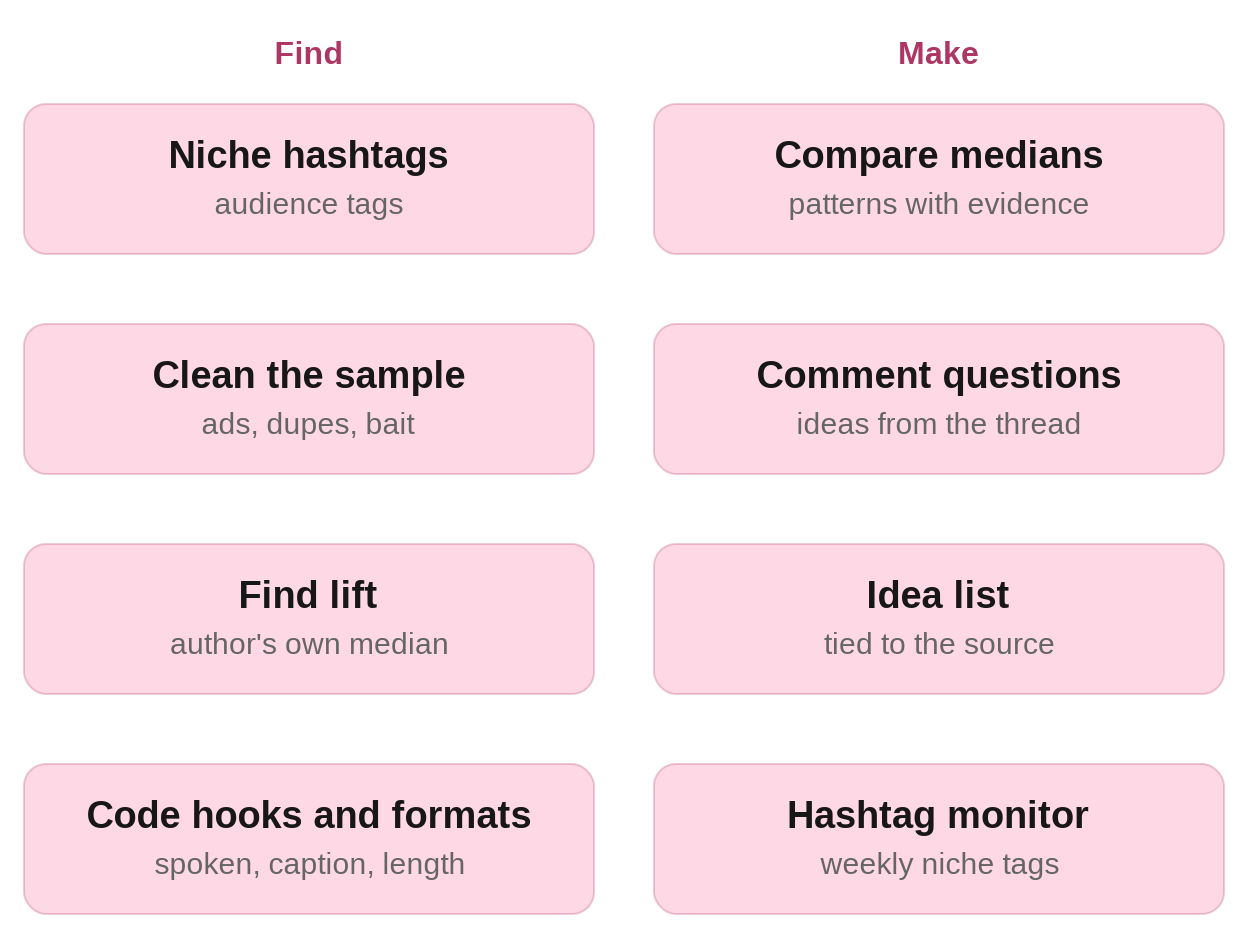
- Connect Manifold MCP to Claude (claude.ai, Claude Desktop or Claude Code), or to ChatGPT.
- Pick three or four niche hashtags and collect reels under each.
- Drop ads and bait, then keep reels that beat each author's median views.
- Label each kept reel's spoken hook, caption line, format, length band and sound.
- Compare those groups on median views and lift, then write three to five rules for this niche.
- Pull questions and requests from the comments on the best reels.
- Build an idea list from that evidence, then compare your own recent reels with the niche medians.
- Put the hashtags on a Keyword tracking monitor so the sample does not go stale.
This guide starts from a topic and ends with ideas for your own account. For a different starting point:
- Named rivals and a two week plan: Instagram competitor analysis.
- One quick search of what did best this month: research TikTok and Instagram.
- Creators to partner with: how to find Instagram influencers.
- Other Instagram servers: the best Instagram MCP servers.
- Other platforms: how to find TikTok video ideas and how to find LinkedIn post ideas.
What AI engines suggest, and the shorter path
Ask Claude or ChatGPT how to find Reels ideas that work in a niche (we checked in November 2026) and you get roughly the same loop. Feed the model real reels, not generic ideas. Judge a reel against its creator's own median, not raw views. Break the winners into hook, format, length, sound and caption. Adapt those patterns, mine the comments for questions, and check the result against your own Instagram insights, which public data cannot show.
Most answers start from a list of named accounts. This guide starts from niche hashtags instead, so you find creators you did not know about.
The tools they suggest are a stack to assemble yourself: Reels analytics sites, browser extensions that sort a profile by views, data export tools, and Instagram servers that need your own login, a Meta developer app or a key of their own. Some answers note that Meta's API limits what you can see of other creators.
Manifold MCP searches Instagram hashtags and reads reels, transcripts and comments inside the chat. It is hosted and you pay per call, so there is no Instagram login, Meta developer app or local server to set up.
Step 1: connect Manifold MCP
Every account gets 250 credits a month on the free plan. What each Instagram call costs is on the credits page.
Claude. On claude.ai or in Claude Desktop, follow the Claude setup page: open Customize, then Connectors, add Manifold as a custom connector and sign in once.
Claude Code. The Claude Code setup page has the install command. Then run /mcp to sign in in the browser.
ChatGPT. Manifold is an official app. Following the ChatGPT setup page, open it from Apps (or the link on that page), click Connect and sign in. There is no URL to paste, and developer mode stays off. On Business, Enterprise and Edu, workspace admins choose which apps people can use.
To check the Instagram tools are attached, ask:
Which Manifold tools search Instagram by hashtag, list one account's reels, return a reel transcript, return comments on one post, and create a monitor? Confirm that Instagram search takes one hashtag with no sort, and that a search result does not include followers, shares, saves or a transcript.
The answer should name instagram_search_posts, instagram_get_reels, instagram_get_transcript, instagram_get_comments and monitoring_create_monitor.
Step 2: pick tags and collect
Give your agent three or four hashtags written the way your audience writes them: one for the category, one for a problem the product solves, one for a use case. "#[category]", "#[problem]" and "#[use case]" are a fine starting template.
Instagram search matches one hashtag, not a phrase. Spaces are stripped, so "meal prep" looks up #mealprep, and if you pass several tags only the first is searched. Have your agent copy extra tags from the captions of the first results, since those are the tags people actually use. Broad tags such as #reels or #explore are noise.
Your agent searches each tag over the past month for hooks (the past week for trends, the past year if the niche is tiny) and reads a couple of pages of results. Instagram returns them in its own order, neither newest nor most viewed, and you cannot sort them. Your agent keeps the videos and notes for each one the author, posting date, first caption line, views, likes, comments, length, sound, hashtags and link.
If a tag returns fewer than about 20 reels in a week, it is too thin. Have your agent widen that tag to a month and tell you it did.
Search results carry no followers, shares, saves or transcript; later steps fill in what they can. Views in search results can lag or be missing, so in that case your agent takes them from the author's own reel list. Every option is on the Instagram tools page.
Step 3: clean and find lift
Your agent drops ads and paid partnerships, duplicates across tags, captions in other languages, giveaways, and comment-for-DM bait such as "comment RECIPE and I'll send it". When an owner hides their like count, search shows exactly 3 likes, so those reels stay out of any rate.
Then it measures lift. It ranks what is left by views per day since posting. For the fastest authors it lists their latest reels (one page, about 12) and takes their median views. A median built on fewer than 10 reels gets flagged as weak. A reel stays in only when it has at least three times its author's median. For authors whose median is under about 1,000 views it must also sit in the top tenth of their window, because three times a tiny number is noise. A big account posting its usual numbers is not a winning hook.
For hooks, your agent also drops reels whose reactions per view (likes plus comments, divided by views) are under half the author's median. That ratio is not watch time or retention. Fewer than about 12 kept reels is too few to see patterns.
Step 4: code each kept reel
Your agent pulls the transcript of every reel still in the sample. The first spoken sentence, or its first clause if it runs long, is the spoken hook. Transcripts come back as one block of text with no timestamps. No transcript means no speech: the opening is visual or musical, so your agent keeps the caption line and flags the reel. Reels over two minutes have no transcript, so your agent names their format from the caption. For a single reel, you can paste its link into the Instagram transcript generator.
Then your agent labels each reel:
- Caption hook: the first two lines of the caption, the part shown before "more".
- Hook pattern: a question to the viewer, a bold or contrarian claim, a number or list, a callout of who it is for, a story opening, the result first, a mistake or warning, a POV setup, or a "save this" promise.
- Format: talking head, voiceover over footage, tutorial, list, before and after, day in the life, POV or skit, or no speech.
- Length band: under 15 seconds, 15 to 60, or over 60.
- Sound: original audio, or the track and artist. One track across several winners is a sound trend; check it in the app before you plan around it.
- Topic: the words and tags that keep coming up.
Many reels hook with text on the cover or first frame, and the data does not include those pixels. Open the top reels yourself. If most kept reels have no speech, your agent should say the niche hooks visually and still include about half of those silent reels in the table.
Step 5: compare groups and write the rules
Your agent compares the groups within each label on median views and median lift. It starts with hook patterns that appear on at least three kept reels. Something counts as a trend only when three or more accounts each have a reel in the window that beat their own median, and the label carries the date of the pull.
The result is one table, one row per group: the label, the group, how many reels, median views, median lift, an example link and its actual opening line or caption. Under it come three to five rules for this niche, each pointing at the rows behind it. Quoted first lines show a pattern; do not reuse them as scripts.
These are correlations in a tagged sample that Instagram already ranked. A rule from one niche does not carry over to another, and Instagram views do not compare with TikTok's. The rows below show the shape of the table, not findings from a real run:
| Feature | Group | Reels | Median views | Median lift | Example |
|---|---|---|---|---|---|
| Hook pattern (example) | Question to the viewer | [n] | [n] | [n] | [url], "Stop scrolling if you [problem]" |
| Format (example) | Talking head | [n] | [n] | [n] | [url] |
| Length (example) | 15 to 60 seconds | [n] | [n] | [n] | [url] |
Step 6: read the comments for questions
On the strongest reels, your agent reads the first page of comments. A question or request that comes up more than once is a Reel to make. It skips DM-bait and one-word replies, and commenter handles stay out of anything public.
Comments come one post at a time. To tag every comment across a batch of posts, see how to analyze TikTok and Instagram comments.
Step 7: turn it into an idea list and check your own reels
Each idea on the list has a topic, a winning hook pattern (adapted, not copied), a format, a length band, a sound note, a first caption line, and the reel or comment it came from. Scripts stay in the chat unless you ask for them. You film and post.
Then give your agent your handle and it lines up your recent reels against the niche medians. One page of about 12 reels can cover days or years, so it keeps paging until the window is covered. Watch time, skip rate, reach, saves and shares live in your own Instagram insights, which these tools cannot see.
Step 8: keep the hashtags on a monitor
Have your agent preview a monitor for your hashtags, Instagram only, and create it after you confirm. Creating it and its scheduled checks spend no credits; a check you run outside the schedule (Run now) does. Options are on the monitoring tools page.
Dashboard. On the social media monitoring page, add a Keyword tracking monitor: Instagram only, your niche hashtags, weekly.
Each check searches every hashtag over the past week and lists new posts whose caption or hashtags match (case ignored; a hashtag matches with its spaces removed). Each new post shows the author, the start of the caption, and its likes, comments and views. The default is hourly; weekly is enough for an idea list. The first run only records a baseline, so new posts appear from the second check on. Cadences and monitor types are in how monitors work.
Each week, ask your agent whether any newly tagged reel should join the list or change a rule. Claude and ChatGPT do not open the monitor on a timer, so the refresh happens when you ask.
Free holds 1 monitor, covering up to 3 keywords. Caps by plan: 1 on Free, 5 on Pro, 25 on Growth, 100 on Agency.
Run this in your agent
Connect Manifold to Claude, ChatGPT or Cursor, then paste this prompt.
Pull Instagram Reels ideas for [Acme] on topic [topic]. We publish as [a brand / a creator]. Handle: [@handle]. Niche hashtags, three or four, written the way the audience writes: #[tag 1], #[tag 2], #[tag 3] (a category, a problem the product solves, a use case). Call instagram_search_posts once per tag, since month (since week for trends, since year if the niche is tiny), a couple of pages via cursor. This search matches one hashtag, not a free-text phrase; spaces are stripped, so meal prep looks up #mealprep. There is no sort. Keep media video rows. A search row has no followers, shares, saves or transcript, and views can lag or come back empty, so take views from that author's instagram_get_reels listing. Copy extra tags from early captions. Skip broad tags such as #reels or #explore. Drop ads, duplicates, other-language captions, giveaways and comment-for-DM bait. Leave likes of exactly 3 out of any rate. Keep reels at least three times each author's median views from instagram_get_reels (one page, about 12, newest first). Flag a median under 10 reels as weak. For hooks, also drop reels whose reactions per view (likes plus comments over views) sit under half that author's median. That ratio is not watch time or retention. Run instagram_get_transcript on kept reels. Transcripts have no timestamps and do not come back for reels longer than two minutes; NoData means no speech. Code hooks, formats, length and sound, then give me a table of median views and lift plus three to five rules for this niche. On the strongest reels, call instagram_get_comments. Return an idea list, each idea tied to the reel or comment it came from. Line up my recent reels with the medians, paging instagram_get_reels with cursor as needed. Insights such as watch time and skip rate are not in the tools. Then preview a Keyword tracking monitor, Instagram only, weekly, for these hashtags: #[tag 1], #[tag 2], #[tag 3]. Description: New tagged reels on [topic] so we can refresh the idea list. Show the preview first, then make the monitor after I confirm. Making the monitor and its scheduled checks cost 0 credits. A check outside the schedule spends credits. Each week I will ask whether any newly tagged reel should join the idea list; read them with monitoring_get_changes. Do not invent counts or findings. I will film and post.
Limits to know
What the Instagram data can and cannot tell you:
- Search covers one hashtag at a time, in Instagram's own order, and only finds tagged posts. It is not a complete listing, and you cannot sort it.
- View counts in search results can be stale or missing.
- Exactly 3 likes in search means the count is hidden, not that the reel has 3 likes.
- Followers, shares and saves are not included for reels.
- A transcript is one block of text without timestamps. Reels without speech, and reels over two minutes, have none.
- Cover text and the first frame are not in the data.
- Captions are cut off at 2,000 characters.
- Comments are read one post at a time. There is no search across posts.
- The insight metrics an account owner sees in the app are not public.
- Views and engagement do not measure sales.
- The data comes from a third party, so a field can arrive empty.
Run it on your niche
Paste the prompt with your topic, the hashtags your viewers use, and your handle.
More Instagram guides are on the Instagram topic page.